Show device status
View available status data from connected devices and connections in one place.
INFRASTRUCTURE & OPERATIONS
NENGŌ records and monitors the entire POS infrastructure. It brings together PCs, POS systems, networks, printers and connected peripherals across locations for monitoring, servicing and controlled interventions.
Make system status visible and help teams plan the next action.

IN PRACTICE
View available status data from connected devices and connections in one place.
Alerts help prioritise service cases by impact and responsibility.
Controlled access and agreed actions support technical service within the agreed scope.
The planning and control of appropriate updates are part of the agreed operating arrangements.
A LOOK AT CENTRALISED POS SUPPORT
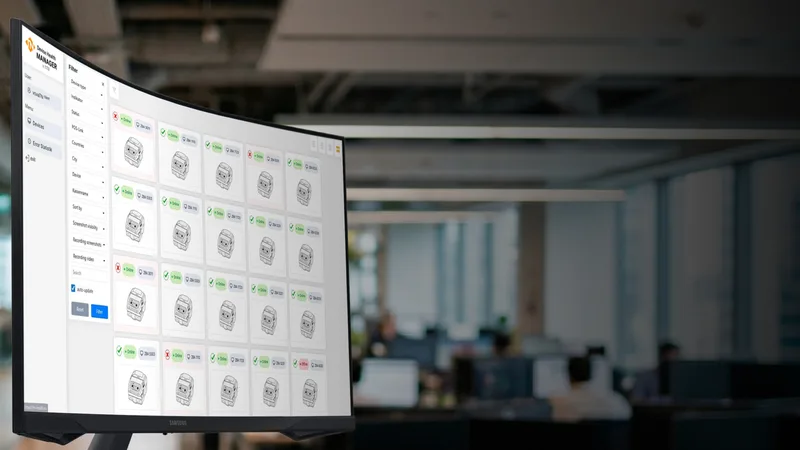
A shared device overview shows which tills are connected and where the service team can take action. Location, system status and a screen view help diagnose issues at the correct workstation.
Check the statusSee each connected till's location and connection status together.
Narrow down the causeView the till and customer screens during an authorised remote support session.
Act with confidenceCarry out permitted actions, such as restarting a browser or transferring a file.
CENTRAL INFRASTRUCTURE MONITORING
NENGŌ monitors your entire checkout and POS infrastructure: PCs, tills, networks, printers and connected peripherals. A central view shows how each device is performing across your sites. Your service team can see where attention is needed and which systems are affected.
View connection status, system health and software checks for connected workstations across locations.
See device availability and connections together, and identify the location that needs attention.
Record printers, scanners, scales and other connected devices as part of the checkout environment.
Browser Desktop, TN Remote and current screen views help the service team support the affected workstation.
Manage TN Browser, online and offline access and available updates in the device view.
Review current events, logs and tickets for each device to see what action is still needed.


AN EXAMPLE: POS PRINTERS
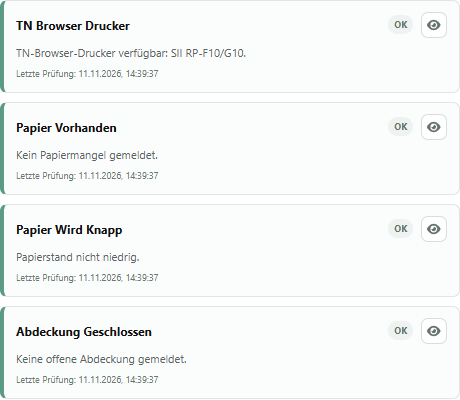
NENGŌ brings together printer status, the Windows print service and the print queue. Service teams can see where action is needed and prepare the next step.
Check whether the printer selected in TN Browser is available and the Windows print service is ready.
Out-of-paper, low-paper and open-cover alerts are visible when reported by the printer and its Windows driver.
The number of waiting jobs shows where printing is backing up and where the service team should investigate.
Review actions in the print queue and clear it when needed. Service teams can see where to start when print jobs are stuck.
FROM ALERT TO ACTION
Identify affected tills and recent events in the central overview.
Review connections, system checks and device messages together. For printing issues, check the print queue as well.
Take an appropriate, authorised action, such as clearing the print queue in a controlled manner.
Review the latest status reports and assess what further support is needed.
IN LIVE RETAIL OPERATIONS
Since 1 November 2026, NENGŌ has monitored tills, printers and connected peripherals at MIX Markt in 15 countries. A shared view of the infrastructure supports operations across locations.
EXAMPLE WORKFLOW
A connection at one location needs attention, or a connected printer reports an issue. Support staff need context to choose the appropriate action. NENGŌ provides this view of operations.
IMPLEMENTING THE SOLUTION TOGETHER
Available status information, such as connection or paper status, depends on the device, integration and configuration. Roles and permitted interventions are explicitly defined.
YOUR QUESTIONS
OUR PRODUCTS
THE NEXT STEP
Tell us what you need. We will show you what HANDELSFAKTOR can do for your retail business.
Request a demoAre you planning to switch systems?