Total price
The selling price includes VAT and all other price components. It must be clear which item and unit of sale the price applies to.
PAngV, sections 1–3
ELECTRONIC SHELF LABELS · ESL
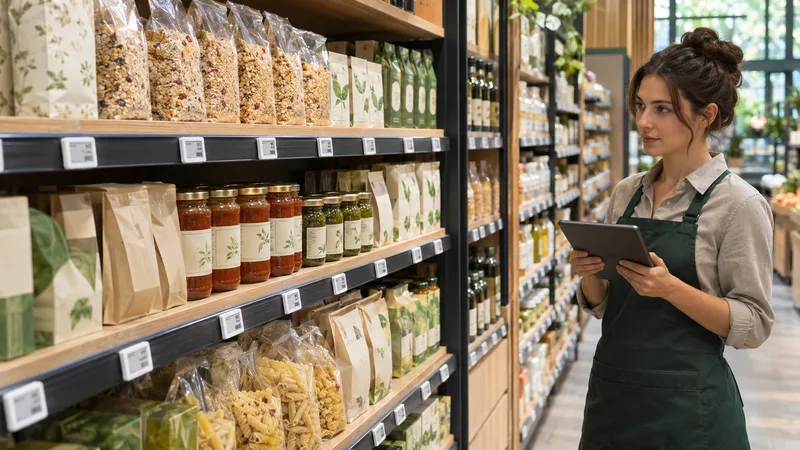
Maintain items and prices centrally and connect your electronic shelf labels to HANDELSFAKTOR. The shelf, till and store management then share a coordinated pricing process.
Discuss ESL integrationONE DATA SOURCE. MULTIPLE TOUCHPOINTS.
Manage centrally
Transfer the right data
Coordinate centrally

PRICE MANAGEMENT ACROSS SYSTEMS
Switch between the regular price and the promotional price. The example shows how one price source supplies both the shelf and the checkout.
CENTRAL PRODUCT DATA
750 ml · Item DEMO-101
€1.79Regular price selected
Example price history: lowest total price in the 30 days before the promotion €1.69.
At the shelf
At checkout
1 × 750 ml
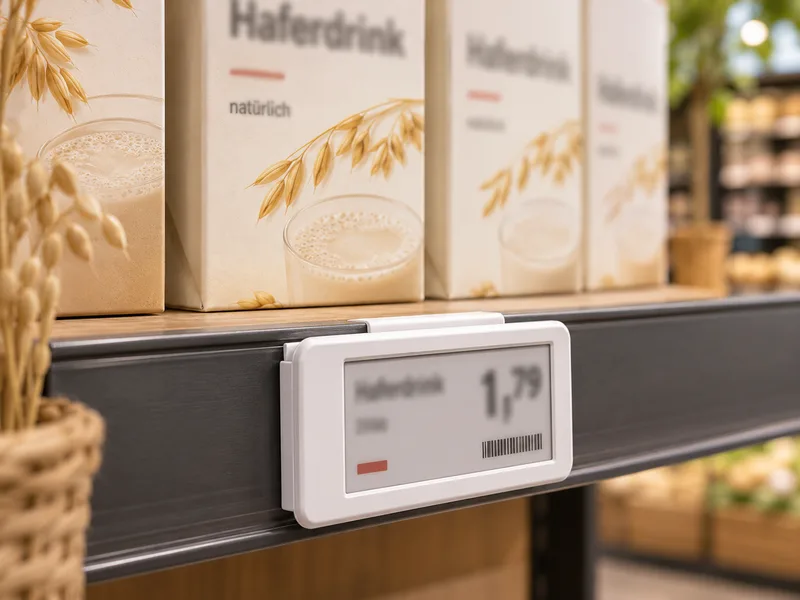
AT THE SHELF
The shelf label shows customers the price of the item in front of them. Linking each item to its label and location brings centrally managed prices onto the shop floor.
The total price, any required unit price and, where applicable, a deposit or promotional reference price must all be clearly legible. We plan the data, label layout and update process together.
From purchasing to the point of sale in grocery retailCLEAR PRICES AT THE SHELF
Electronic and printed shelf labels are subject to the same pricing rules. When planning labels for consumer sales in Germany, we take the following details into account:
The selling price includes VAT and all other price components. It must be clear which item and unit of sale the price applies to.
PAngV, sections 1–3For packaged goods that require unit pricing, the price per 1 kg or 1 litre must also be shown. If the total price and the unit price are identical, a separate unit price may be omitted. Different rules apply to loose goods and other exceptions.
PAngV §§ 4–5Where a deposit applies, it is shown separately from the item price. It is included in neither the total price of the goods nor their unit price.
PAngV § 7When a price reduction is announced, the lowest total price in the 30 days before the promotion must generally be clearly stated. Advertised discounts are calculated against this reference price. Statutory exceptions must be considered separately.
PAngV, section 11As at 17 November 2026 · The precise label design depends on the product range, sales format and promotion. Additional product-specific labelling requirements are considered separately. The 30-day reference price must come from actual price history; the demo uses illustrative values.
The Court of Justice of the European Union requires advertised discounts to be based on the applicable prior price. In 2025, Germany’s Federal Court of Justice confirmed that the 30-day reference price must be displayed clearly and unambiguously.
Court of Justice of the EU, 26 September 2024 – C-330/23German Federal Court of Justice, 9 October 2025 – I ZR 183/24Full text of the German Price Indication OrdinanceLESS DUPLICATION IN PRICE MAINTENANCE
Items, prices and their assigned shelf labels share the same data source, so updates on the shop floor can form part of your pricing process.
Promotional prices are planned together with till prices and the locations affected. We agree the start, end and update process to suit the connected system.
Plan central pricing rules alongside local differences. We work with you to define ranges, price assignments and label integration.
EXISTING INTEGRATIONS
Send prices to DATO-IT electronic shelf labels via the existing API connection.
Send item prices to ZKONG electronic labels using the existing module.
Generate files for TroniTAG electronic shelf labels and incorporate them into the agreed update process.
The data scope, mapping and transfer frequency are agreed for each integration. We welcome connections to other shelf label suppliers and partners.
A COORDINATED PRICING PROCESS
Establish whether HANDELSFAKTOR or a connected ERP or inventory management system is the master source for products and prices.
Match the item, location and label unambiguously in the relevant system.
Use the specified integration module and the agreed update methods.
Compare shelf and checkout prices during the pilot and review the feedback available from the system.
GROCERY RETAIL EXAMPLE
A grocery retailer plans to run a range promotion at selected locations. Prices are prepared, assigned to items and sent to the label systems via the relevant interface.
The till uses the agreed price data. The pilot establishes when changes arrive, how exceptions are handled and how staff check the shelf display in store.
Explore the grocery retail solutionYOUR QUESTIONS
RELATED POS MODULES
Start with the item price in the correct store. The transfer method then depends on the shelf label system.
FROM CONCEPT TO EVERYDAY RETAIL
Bring details of your product structure and shelf labelling system. We will plan the integration together.
Request a personal demo